Features
Made for a quiet, steady practice
Everything in Daily Quran serves one aim: to help you keep the Qur’an in your day — gently, and without distraction.
Reading
One ayah at a time
Each ayah on its own page: the Arabic in Uthmani script, its translation beneath, and space to reflect.
-
Your place, kept faithfully
Close the app mid-surah and it opens where you were. Miss a fortnight and it returns to the first ayah you have not read — never the fourteenth.
-
Nothing is marked read unless you read it
Tap Mark as read, or simply stay with an ayah until its end has been on screen for a few seconds. Swiping past on the way to the next one does not count.
-
Turn the page like a mushaf
Swipe between ayat, or jump anywhere from the surah index. Browsing never marks anything read.
-
Two translations together
Add a second translation to read beneath the first, and save any ayah to your Favourites.
The Qur’an Planner
Finish the whole Qur’an by a day you choose
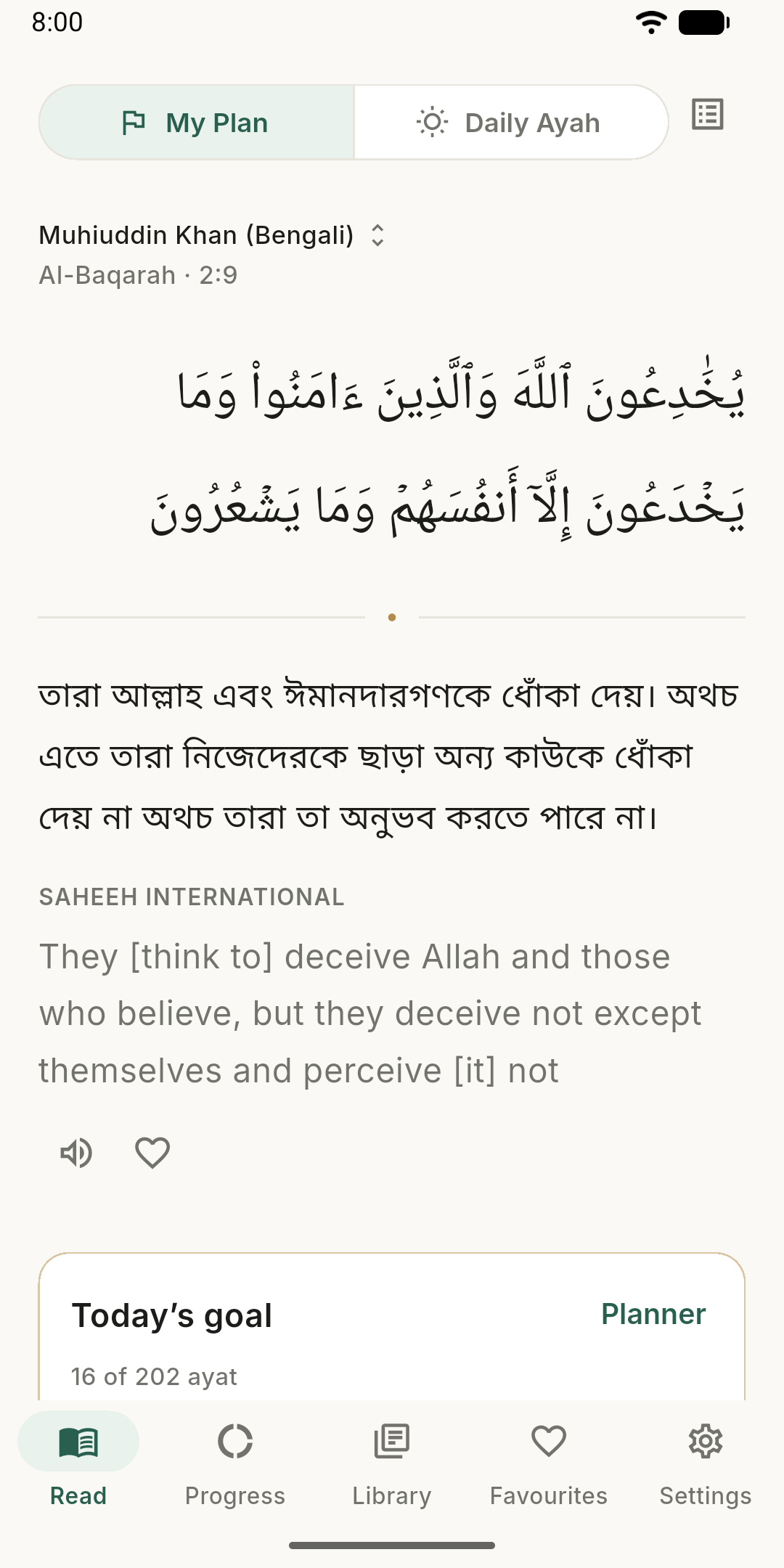
Pick a finish date and the planner does the arithmetic — how many ayat a day, and roughly how long that takes.
-
A goal that adjusts itself
Read more one day and the days after grow lighter. Miss a day and what is left is spread over the days remaining. Your finish date holds.
-
Today’s goal, first
Your plan has its own reminder. Tap it to see how much to read today, how much is done and where you will start — then Continue reading.
-
Kept apart from your Daily Ayah
Your plan and your Daily Ayah each keep their own place, so reading one never counts for — or against — the other.
-
Start over, kindly
Plan again from today and keep what you have read, begin again from the first ayah, or stop the plan. None of it touches your Daily Ayah.
Translations
Seven editions, six languages
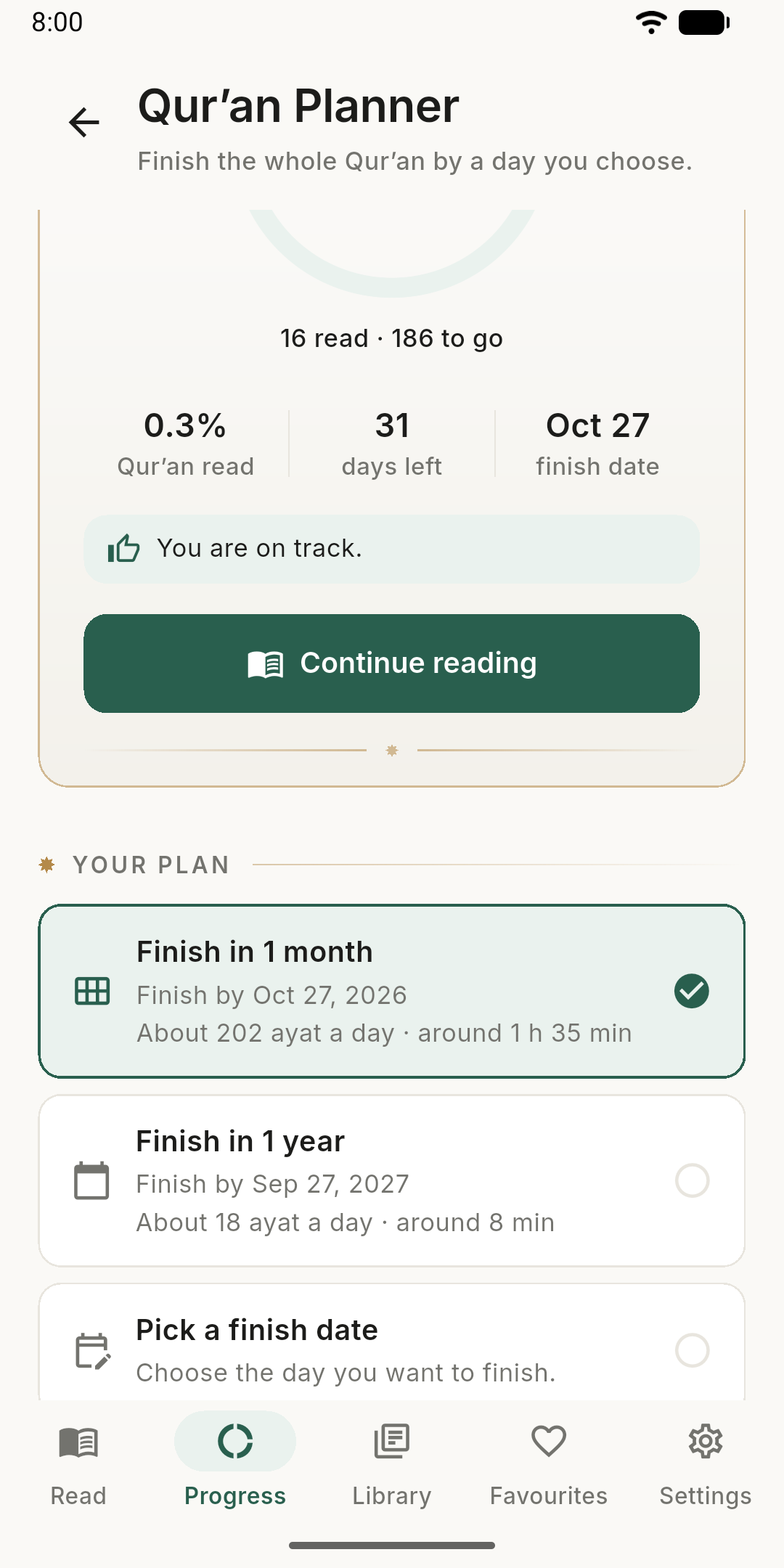
The Uthmani Arabic on its own, or with a translation in the language you read best. Change at any time and stay on the same ayah — your place belongs to the ayah, not the translator.
- Bengali (বাংলা) Muhiuddin Khan
- English Umm Muhammad (Saheeh International)
- French (Français) Muhammad Hamidullah
- Russian (Русский) Elmir Kuliev
- Spanish (Español) Muhammad Isa García
- Urdu (اردو) Abul A'la Maududi
- Arabic only Uthmani script
Every text is copied verbatim from its source and credited by name — never generated, paraphrased or corrected. See the sources.
Word by word
Every word, and what it means
Turn on word by word and each Arabic word is shown with its meaning, in the Arabic’s own right-to-left order.
-
A reading aid, not a second translation
A gloss says what one word means on its own; the ayah’s translation, always shown beneath, says what the ayah means. The two are kept visibly distinct.
-
Try it here
Word by word works on this website too. Open Al-Fatihah word by word.
- ٱلْحَمْدُ All praises and thanks
- لِلَّهِ (be) to Allah
- رَبِّ the Lord
- ٱلْعَـٰلَمِينَ of the universe
[All] praise is [due] to Allah, Lord of the worlds
Progress
A streak that only ever praises
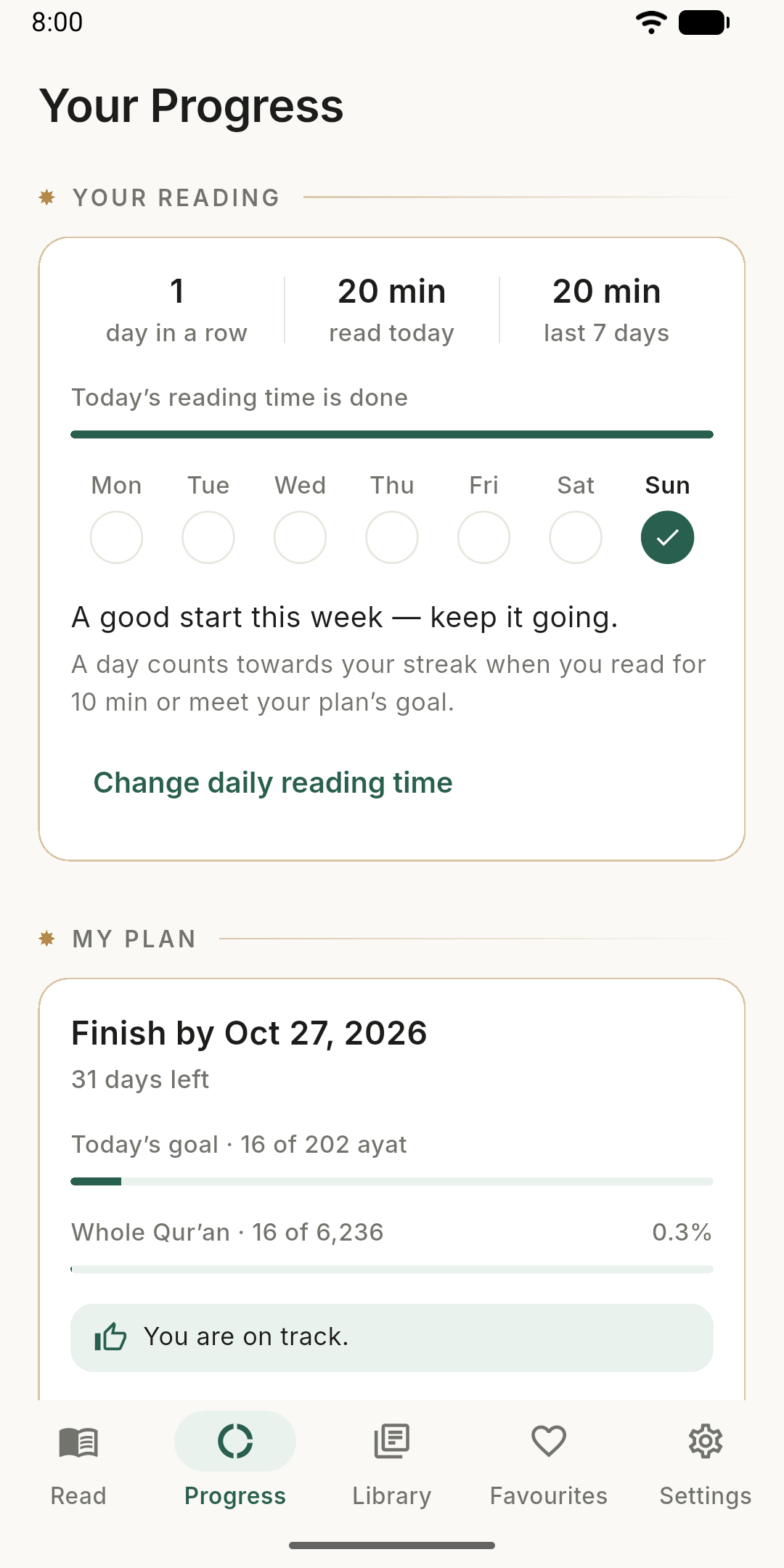
Set a daily reading time and watch the days add up. The app notices when you keep at it — and never remarks on a day you missed.
-
Reading time, honestly measured
Choose anywhere from 5 to 60 minutes a day. Time counts only while an ayah is on screen and you are with it — a phone left open overnight is not eight hours of reading.
-
Your week at a glance
Your streak, today’s reading time, the last seven days, and how this week compares with the one before.
-
Congratulations, when they are earned
Every three days in a row, every tenth of the Qur’an, when you reach your reading time, and when you read longer than the day before. Each is said once — and they can be turned off.
Reminders
Reminders that respect you
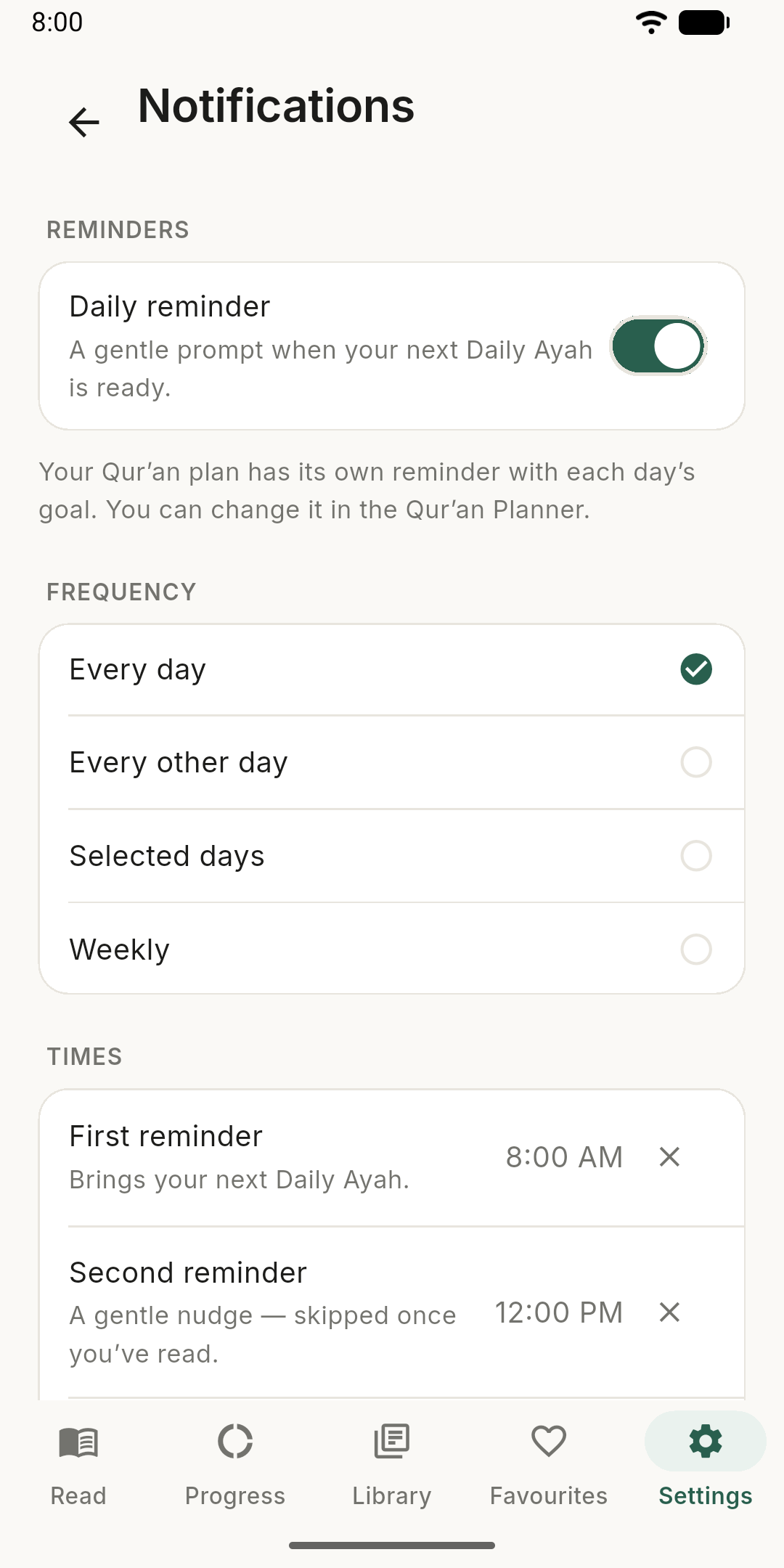
A gentle prompt at the times you choose — every day, every other day, on the days you pick, or once a week.
-
Up to five a day
The first brings your next ayah; the later ones are soft nudges that fall quiet once you have read.
-
Your lock screen, your choice
A notification can be read by whoever glances at your phone, so you decide how much it says:
- Just an invitation“Your next ayah is ready.” — the default
- Which ayah is nextA reference, such as “Al-Baqarah 2:255”
- The translationThe ayah’s translation
- The ArabicThe ayah itself
-
Asked for only when needed
No permission is requested until you have chosen a reminder time, and declining one only makes reminders less punctual. Times follow your phone’s clock through travel and daylight saving.
Listening
Hear the translation read aloud
The app can read a translation aloud in your phone’s own voice for its language — French in a French voice, Urdu in an Urdu one.
The Arabic is never read by a machine. Recitation of the Qur’an has its own discipline, the rules of tajwid, which a text-to-speech voice neither knows nor follows — so there is deliberately no button for it.
Comfort
Comfortable for every reader
-
Light and dark
Warm paper by day and a deep, quiet dark by night, following your phone or your choice.
-
Text that grows with you
The reading size multiplies your phone’s own text size, so accessibility settings keep working.
-
Right to left, done right
Arabic and Urdu are laid out right to left, with generous spacing for the marks of Qur’anic orthography.
-
Clear for screen readers
Each word and its meaning, each progress bar and each translation is announced as one clear sentence, and every control is easy to tap.
-
Favourites
Keep the ayat that move you, in whichever translation you read them.
-
Works offline
The whole Qur’an, every translation and every word is on your phone. Read on a plane, or anywhere.
Private by design
Your reading stays yours
Daily Quran collects nothing. What you read, and when, is between you and the page.
-
No account
Open the app and read. There is nothing to sign up for and nothing to sign in to.
-
No ads, no tracking
No advertising, no analytics, no crash reporting. On Android the app does not even have permission to use the internet.
-
On your phone, offline
Your place, plans, favourites and reading time stay on your device, and the whole Qur’an reads without a connection.
What’s new
Version 1.3.0
Reading time, streaks and several reminders a day.
- Remind me more than once. Set up to five reminders a day, for your Daily Ayah and for your plan. The first brings your ayah; the later ones are gentle nudges, and they stop once you have read. Your Daily Ayah still moves on once a day.
- A daily reading time. Choose 5 to 60 minutes a day under Settings → Reading. The app counts the time you spend reading — only while an ayah is on screen and you are with it — and shows how much of today's time is done.
- Your streak. A day counts when you meet your goal: your reading time, your plan's goal, or — if you have set neither — your Daily Ayah. The Progress tab shows your streak, today's reading time, the last seven days, and how your week compares with the one before.
- Congratulations when they are earned. Every 3 days in a row, every tenth of the Qur'an, when you reach your reading time, and when you read longer than the day before. Each is said once. Turn them off under Settings → Reading → Celebrate milestones.
- See how long a plan's day takes. Each plan in the Qur'an Planner now says roughly how much time a day it needs — “About 202 ayat a day · around 1 h 5 min” — timed for the Arabic, translation or both, whichever you read.
- A tidier reading screen. The bottom tab is now Read, and Progress sits right beside it. With a plan, My Plan / Daily Ayah sits at the top in place of the title, your plan first.
- A new icon — an open mushaf beneath an eight-point star.
- Unrestricted battery use now opens your phone's battery list: find Daily Quran there and choose Unrestricted (or Don't optimise). The app no longer asks with a one-tap dialog, whose permission Google Play reserves for other kinds of app.
- Fixed: a second translation now shows under your plan's reading, not only under the Daily Ayah.
- Fixed: the privacy note under Settings → About now names every permission the app asks for.

Download
Keep the Qur’an in your day
One ayah a day, or a date to finish the whole Qur’an by — with gentle reminders, no account, no ads and nothing to sign up for.


On Android without Google Play? Download the APK from the latest release.